

You know that moment when you discover a feature that feels like you’ve just unlocked a cheat code for life?
Well, here are four of those moments – all in one post.
Grab your coffee, buckle up, and let’s break down these new Launchpad features that will save you time, reduce headaches, and make you look like a productivity wizard.
Scan Business Cards Instantly with AI
Remember that time you got handed a business card at a conference, took it home, and then proceeded to lose it in your bag… and then in your car… and then under your couch? Yeah. Us too.
Here’s the magic: Launchpad’s AI turns your phone into a business card scanner that automatically adds contacts to your CRM. No more typing out names or Googling people to figure out if they’re still working at “that place.”
How It Works:
- Open the Launchpad app and go to the “Contacts” section.
- Tap the + button and select “Scan Business Card.”
- Snap a photo of the card. (Seriously, you could do this while walking, no need to stop or stand still like a mannequin.)
- Let the AI do its thing – pulling out names, phone numbers, emails, and job titles.
- Review, save, and move on with your life.
How This Helps Your Business:
- No more manual entry: Save yourself from typing out contact details (and from the frustration of trying to read someone’s messy handwriting).
- Faster follow-ups: Follow up with leads immediately after meeting them instead of waiting until next week to remember you met them.
- Networking made easy: Every event or meeting turns into an opportunity to build your network, without the panic of losing cards.
Ways To Make This Work For You:
- At a conference: You meet 30 people in one day. With this feature, you’ll scan, save, and tag every single person without ever worrying about losing a single business card.
- Networking lunch: You just met someone who could become your next big client. You scan their card, save their info, and ping them that afternoon for a follow-up.
- Trade shows or expos: Collect dozens of leads without worrying about sifting through mountains of paper cards after the event.

Multi-Day Bookings for Rentals & Events (Private Beta)
Ever had a customer ask to book your equipment, space, or services for multiple days? And then you have that internal panic: “Do I have a booking for that week? Can I charge them right? What if I double-book?”
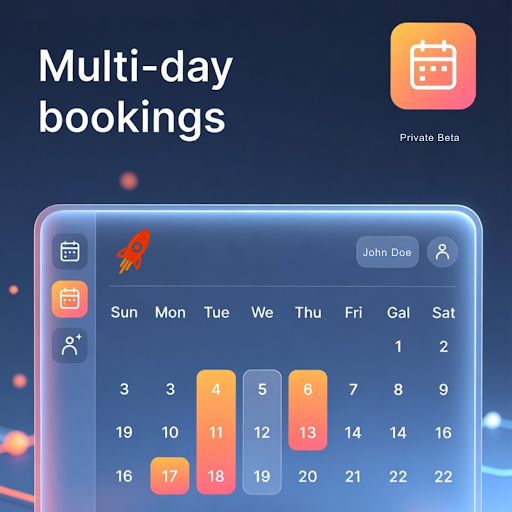
Fear not. We’ve introduced multi-day bookings that handle everything for you. Pricing, availability – it’s all automated and ready to rock. One booking, multiple days. Zero overlap. Zero stress.
How It Works:
- Log into your Launchpad account and go to your bookings section.
- Select the item, service, or space the customer wants to book.
- Choose the start and end dates for the booking.
- Our system will automatically calculate the pricing and make sure there are no double bookings.
- Confirm the booking and get back to enjoying your day (because you just saved hours of admin work).
How This Helps Your Business:
- Boosts revenue: The more days your customers book, the more money you make. AUTOMATICALLY.
- Reduces booking errors: No more double-booking or missed opportunities.
- Improves customer experience: Your clients will appreciate the ease of making multi-day reservations without needing to call or email you five times.
When This Comes In Handy:
- Event spaces: A client wants to rent your venue for three days. Instead of having to manually calculate everything, the system will automatically adjust the pricing and prevent any overlap with other bookings.
- Photography equipment rentals: A photographer needs your gear for the entire weekend. Now, they can reserve it for multiple days with just one click.
- Vacation rentals: If you manage vacation homes, allow guests to book for multiple days with ease, ensuring their reservation fits perfectly within your calendar.
Interactive SEO Heatmaps (Your Website's New BFF)
So, you’ve done SEO work, but how do you know if it’s really working? Do you just hope you’re ranking better than last week?
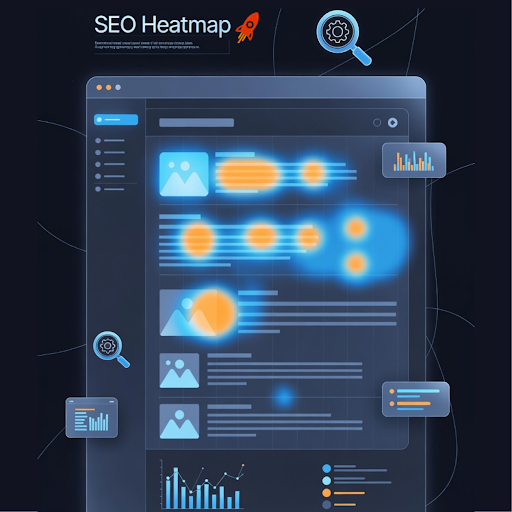
Not anymore. Interactive SEO heatmaps show you exactly where you rank in various neighborhoods, and better yet, how you compare to your competitors. Because who doesn’t love a little friendly rivalry?
How It Works:
- Go to your SEO dashboard in Launchpad.
- See the heatmap of your rankings across different geographic areas.
- Compare your rankings with local competitors to spot potential SEO wins or gaps.
- Click on each area for deeper insights and ideas on where you can improve.
How This Helps Your Business:
- Instant visual feedback: Get clear, color-coded feedback on your SEO performance in real-time.
- Track local rankings: Know exactly which neighborhoods or areas need more attention.
- Outsmart competitors: By understanding your competition’s SEO performance, you can make strategic improvements to beat them.
Scenes Where This Feature Steals The Show
- Local businesses: If you’re a bakery in New York City, you can see how you rank in specific neighborhoods (like the Upper West Side vs. Brooklyn) and adjust your SEO strategy accordingly.
- Real estate agents: Track your ranking in different zip codes and compare to other agents’ performance.
- Restaurants: Get insights into how you rank across different regions – whether you’re crushing it on Yelp in one area and need more visibility in another.
Add WhatsApp, Instagram & Facebook Messaging to Your Google Business Profile
Let’s face it: everyone’s on different messaging platforms now. Your customer might prefer WhatsApp, but your colleague likes Facebook Messenger. Your goal? Make sure you’re available everywhere – and now you can.
With Launchpad’s messaging integrations, you can add all your social messaging options (WhatsApp, Instagram, Facebook) directly to your Google Business Profile. This makes you the most accessible business in town – without a single phone call.
How It Works:
- Go to your Google Business Profile settings within Launchpad.
- Add your WhatsApp, Instagram, and Facebook links to your profile.
- Save and publish – now your customers can contact you however they prefer.
- Watch your responses go through the roof
How This Helps Your Business:
- Higher engagement: The more ways customers can reach you, the more likely they are to do it.
- Faster responses: People don’t want to wait around for an email. They want an instant chat on their preferred platform.
- Better customer experience: Answer queries in real-time, wherever they’re coming from.
How This Feature Saves The Day
- Small businesses: A local gym can add WhatsApp to their Google profile, allowing potential clients to ask about membership options in real-time.
- E-commerce stores: Customers can ask about product availability via Instagram, directly leading to faster purchases.
- Service-based businesses: A plumber can respond to urgent repair requests through Facebook Messenger – meaning more jobs closed, less time wasted.
In Conclusion:
These features are built to make your life easier, save you time, and help your business grow without breaking a sweat. From instantly scanning business cards to optimizing your local SEO with heatmaps – the power is in your hands.
Your business is about to get a MAJOR upgrade!